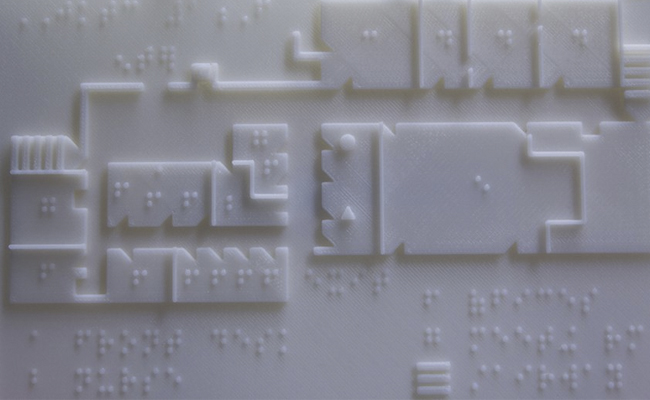
Los mapas táctiles son de gran ayuda para las personas ciegas o con deficiencia visual, ya que les ayudan a orientarse y a planificar rutas. Con Touch Mapper, puede crear fácilmente mapas personalizados al aire libre para cualquier dirección que elija. Puede imprimir el mapa usted mismo sin cargo utilizando una impresora, una impresora de papel o una impresora 3D.. https://touch-mapper.org/en/
Si creíamos que la
fiebre del selfie no podía ir a más, estábamos equivocados. El selfie
3D llega para revolucionar –más todavía– el complejo mundo de las redes
sociales, y lo que coloquialmente conocemos como postureo.
¿Cómo se consigue un selfie 3D? La inteligencia artificial tiene la respuesta. Se trata de una tecnología desarrollada por científicos de computación de la Universidad de Nottingham y la Universidad de Kingston que, mediante un sistema de inteligencia artificial, es capaz de reconstruir toda la geometría facial en 3D a partir de una sola imagen en 2D, incluyendo partes no visibles de la cara. Esta tecnología, aunque no es perfecta, supone un gran avance en este campo.
La técnica se basa en un complejo proceso protagonizado por la inteligencia artificial; hablamos de una nueva tecnología basada en la red neuronal convolucional, capaz de emplear el aprendizaje de la máquina con la finalidad de que los ordenadores puedan aprender sin ser programados para ello.
La labor de este mecanismo consiste en transformar imágenes
convencionales en 2D en un selfie 3D, algo que solo puede lograrse
mediante una reconstrucción de la geometría facial 3D.
Pero la clave que convierte este proyecto en novedoso reside en introducir
la forma de aprendizaje de nuestro cerebro en una app, es decir, un
proceso basado en el avance del aprendizaje profundo, una forma
de aprendizaje mecánico que utiliza redes neuronales artificiales para
imitar la manera en que el cerebro hace conexiones entre piezas de
información.
Reconstruir la geometría facial 3D
El equipo de investigación, supervisado por el doctor Yorgos Tzimiropoulos,
fue capaz de desarrollar esa red neuronal convolucional en base a un
enorme conjunto de datos de imágenes en 2D y modelos faciales en 3D; con
toda esta información, su red neuronal pudo reconstruir la geometría
facial 3D a partir de una sola imagen en 2D, incluyendo partes no
visibles de la cara realizando una serie de conjeturas.
A través de una aplicación web, cualquier persona podrá cargar una imagen en color y recibir, en pocos segundos, un modelo 3D de la misma.
Más de 400.000 usuarios ya han hecho la prueba. Además, esta tecnología
podría suponer grandes avances en el mundo de la seguridad, los
videojuegos y la realidad virtual. Seguiremos de cerca sus próximos
pasos.
Finding software for converting a photo to a 3D model
Are objects from photos 3D printable? Recently, a new app made quite a stir: Smoothie-3D promised to provide an easy modeling tool that gets you from a single photo to a printable 3D model. Now we put the app to the test: we converted a photo to a 3D model and printed it!
One of the highest bars to pass to enter the world of 3D printing is learning how to create a 3D model. While online printing service like i.materialise facilitate the printing process itself, it often seems that there’s no way around 3D modeling.
But now the new modeling application Smoothie-3D offers a simple solution: A free online tool that makes creating 3D models as easy as possible and promises users a simple ‘Photo to 3D’ experience. No prior modeling expertise or software download is required. All you need is a single picture of the object you want to 3D print.
Getting the right picture for your 3D model
First, we looked for a picture of a squirrel and found this one. It would be an image that was taken from the side, as it makes modeling much easier. It should also be a photo that looks similar on the other (hidden) site of the object. That’s why this photo of a squirrel is great: we know that its looks the same from both sites.
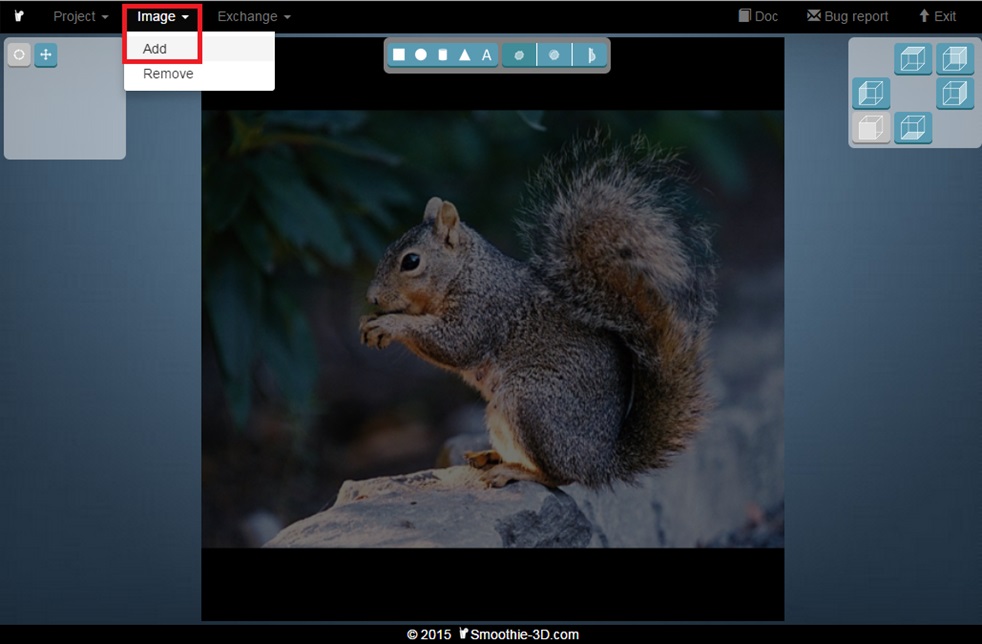
We then went to Smoothie-3D.com, logged in, and added the image by clicking on “Image” and “Add”.
Turn your photo into a 3D model
So let’s get started with the modeling part. We now needed to draw a little: we drew the outlines of the squirrel and its body parts. The app turned these parts into a textured 3D model. When you are familiar with the interface and buttons this process only takes a few minutes. Take a look at the video below on how to draw the outlines of the squirrel and how to turn it into a 3D model:
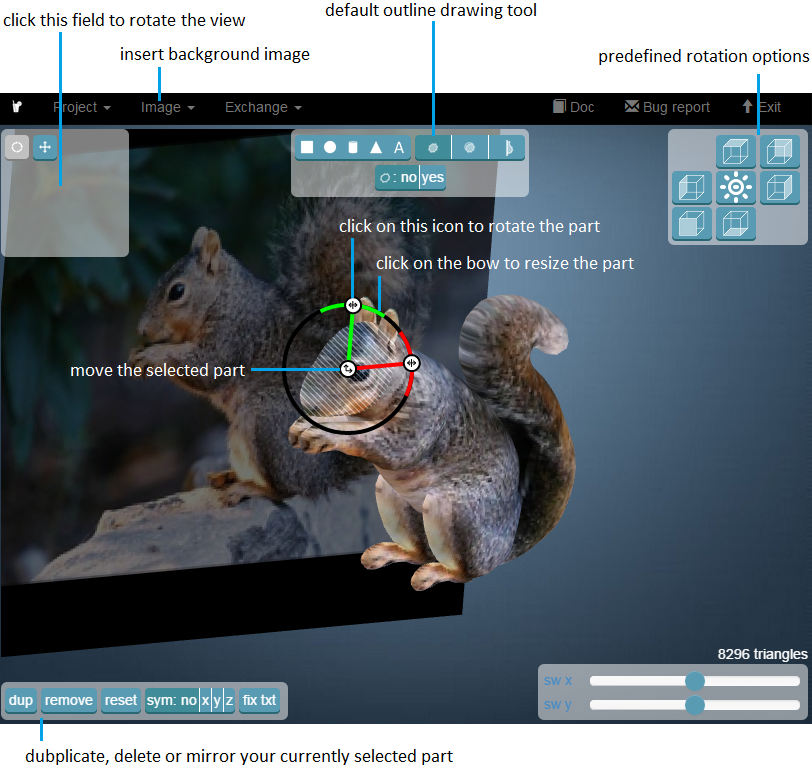
When you use Smoothie 3D for the first time and are not familiar with its modeling tools, it might take a while to figure out how it works. We put together this screenshot that explains all the important tools you might need:
3D printing your photo (based on the 3D model)
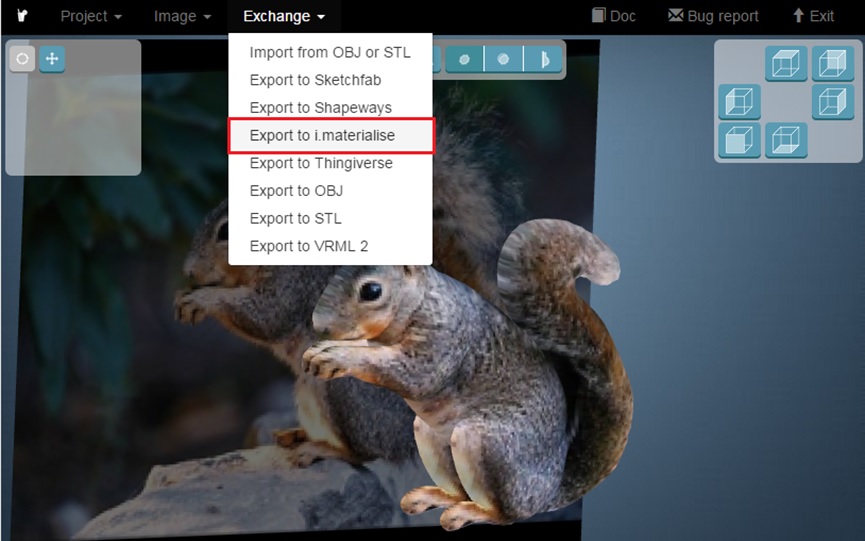
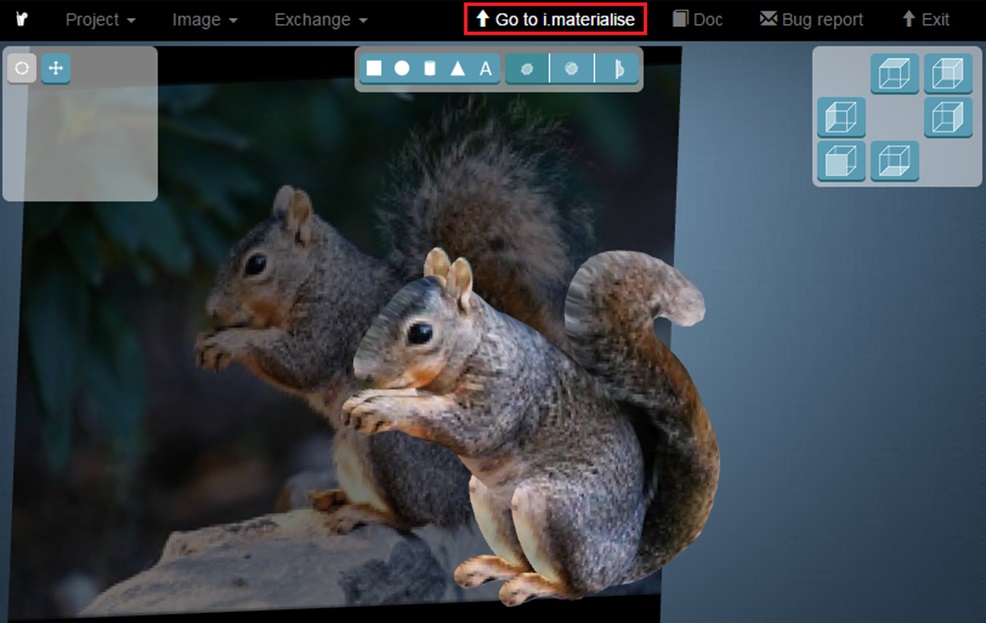
Once the modeling phase is complete, all you need to do is send the model to i.materialise for printing. Click on “Exchange” and “Export to i.materialise”.
A new link appears at the top of your screen. Click on “Go to i.materialise”.
Are you looking for more ways to turn your photos into 3D prints? Then you might want to check out our article about the free software “123D Catch” as well. It automatically creates a 3D model based on photos taken from different angles.